USFamily.Net

Connecting families, communities and businesses since 1997

  HOME · HELP · CONTACT US

WEBMAIL · MY ACCOUNT · USE POLICY   

Previous Tip click here
View this newsletter online at  http://www.usfamily.net/tip-2004-04-30.html


USFAMILY REUNION
The Official Newsletter of USFamily.Net

April 30, 2004 - WHAT'S NEW
  • SurfX for MAC OS 10.2
  • NEW Services Survey 
  • MAC Screensaver
  • Flat Screen Monitor Giveaway
  • Tech Tip

LOW PRICED DSL NOW HERE

TRY SURFXCELLERATOR!

FREE SCREENSAVER - PC


CLICK TO DOWNLOAD THE TROPICAL SCREENSAVER

Imagine yourself sitting on a white sandy beach with a gentle breeze blowing as you watch this Tropical Screensaver.

FREE DESKTOP WALLPAPER - PC


800x600 | 1024x768  
An amazing scene of color and vaporous mists. To add this as your computer desktop's wallpaper, simply click on the resolution appropriate for your monitor size (800x600 or 1024x768). When the image opens in Netscape Navigator or Microsoft Internet Explorer, click the image with the right mouse button. On the pop-up menu, select "Set as Wallpaper" to save the image as your desktop background.

CONTACT INFORMATION


4050 Olson Memorial Highway
Suite 125
Golden Valley, MN 55422
Phone: 763-521-0401
Toll-Free: 1-800-300-4256
Fax: 763-521-0402
Email: info@usfamily.net
URL: www.usfamily.net

SURFXCCELERATOR NOW FOR MAC!

Finally...it has arrived!
 

Mac users, we have heard the call and we are answering it.  SurfXccelerator is now available for Mac too!

Minimum Requirements:
- Macintosh OS 10.2 or higher
- PowerPC G3 processer (333MHz)
- 64MB RAM
- At least 6MB of hard disk space
- Works with Safari & IE browsers

SurfXccelerator speeds up your internet experience by up to five times, using your existing dial-up phone line and modem.  No extra equipment necessary!  It is easy to install, runs seamlessly and does not alter any of your existing software.

Sign up for 5X Faster SurfXccelerator for MAC or PC
CLICK HERE TO TRY SURFX FOR FREE
 

USFAMILY.NET TO OFFER NEW SERVICES

USFamily.Net is exploring new opportunities to offer you a wider array of services.  Your input will greatly help us decide what we should offer.

Please Click Here to tell us what 
services you would like us to offer

SCREENSAVER FOR MAC
Attention Mac Users
An apology to all USFamily.Net MAC users.  All of the screensavers we have offered in our newsletter have been available for PC only...until now.


3D MINDSCAPE SCREENSAVER - FOR MAC
Click here to download now

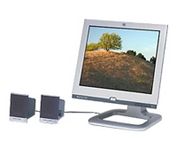
FREE FLAT SCREEN MONITOR GIVEAWAY
USFamily.Net & Computer Renaissance are teaming up to giveaway a new flat screen monitor.  NO PURCHASE NECESSARY!

Click here to enter

TECHNOLOGY TIP
Viewing Attachments in Outlook Express
Newer versions of Outlook Express are configured to restrict access to attachments by default. If you see a message that states 'OE removed access to the following unsafe attachment in your inbox' when attempting to open an attachment, you will need to change a setting in Outlook Express in order to open the attachment. To do this:

1.) In Outlook Express, click the 'Tools' menu, then select 'Options'
2.) Click the 'Security' tab, then uncheck 'Do not allow attachments to be saved or opened . . .'
3.) Click 'OK'


You have received this email because you are listed as a current USFamily.Net customer and selected the option to receive USFamily.Net email tips and newsletters. To change this option: go to "My Account", Update Name, address, phone, and email tips.