USFamily.Net

Connecting families, communities and businesses since 1997

  HOME · HELP · CONTACT US

WEBMAIL · MY ACCOUNT · USE POLICY   

Previous Tip click here
View this newsletter online at  http://www.usfamily.net/tip-2004-08-18.html


USFAMILY REUNION
The Official Newsletter of USFamily.Net

Aug. 18, 2004 - WHAT'S NEW
  • USFamily SPAM Filter
  • Protect your Computer 
  • Meet the USFamily Team

LOW PRICED DSL

TRY SURFXCELLERATOR!

FREE SCREENSAVER - PC


CLICK TO DOWNLOAD THE SKIES SCREENSAVER

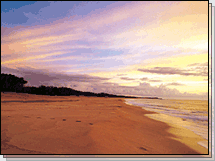
Vibrant colors and dramatic clouds await you as you fly through the clouds screensaver.

FREE DESKTOP WALLPAPER
PC or MAC 


800x600 | 1024x768  

Finding Nemo has found your computer!  Download this fun wallpaper!
Windows Users: Click the resolution appropriate for your monitor size.  Click the image with the right mouse button.  On the pop-up menu, select "Set as Wallpaper" to save the image as your desktop background.
Macintosh Users: Click the resolution appropriate for your monitor size. Click and hold on the image and choose "Save Image As..." Then go to your Appearance control panel and click on the Desktop tab. Click on the Place Picture and select the downloaded picture file on your hard drive.  Click Set Desktop.

CONTACT INFORMATION


4050 Olson Memorial Highway
Suite 125
Golden Valley, MN 55422
Phone: 763-521-0401
Toll-Free: 1-800-300-4256
Fax: 763-521-0402
Email: info@usfamily.net
URL: www.usfamily.net

Technical Support Hours
Monday - Friday: 8 am - 8 pm
Saturday: 12 pm - 6 pm

TECH TIP - USFAMILY SPAM FILTER USAGE

How to control and use our SPAM Filter
The USFamily SPAM filter is a highly effective system that we continue to tune for maximum performance and flexibility.  Despite our diligence, every now and then a legitimate e-mail is blocked.

If you think you are not getting email from someone, the easiest way to find out if it is mistakenly being blocked by our SPAM filter is to send them an e-mail and ask for a reply.  It is possible that the person sending you an e-mail may not have your e-mail address fully correct.  

If they still have difficulties emailing you, have them forward their "bounced" message (the return message they receive if your email address is incorrect or if they are being blocked by our SPAM filter) to postmaster@usfamily.net, and we will be happy to investigate.

You also have the option of turning off your e-mail SPAM filter temporarily if you are suspicious that something (such as a mailing list, rather than an individual) of value is being blocked.  If you find that it is being blocked, simply forward a sample of the e-mail to postmaster@usfamily.net with a short note and then, re-enable your SPAM filter.

Finally, it is extremely helpful if you report any SPAM that manages to slip through our filters to abuse@usfamily.net.  We review every such case to determine how it slipped through, and we send complaints to the FTC and the originating ISP. 

TECH TIP - PROTECT YOUR COMPUTER

Prevent viruses, worms & Trojan Horses
Viruses, worms and Trojan Horses are malicious programs that can cause serious damage to your computer and the information on your computer, slow down the Internet, and use your computer to spread themselves to your friends, family, co-workers and the rest of the web.  The good news is that with an ounce of prevention and some good common sense, you are less likely to fall victim to these threats.  Think of it as locking your front door to protect your entire family.

There are some free preventative measures you can take to scan your system for viruses.  Using the following FREE online virus scans is highly recommended.  Click the following links to scan your system for viruses:

Panda ActiveScan

Trend Micro House Call Virus Scan

It is beneficial to get your computer scanned by both of these sites.  That way if there was a virus the first site did not detect, the second site may find it.

To get a better understanding of these malicious programs, please click here for an introduction to viruses, worms and Trojan Horses.

YOUR TECH SUPPORT TEAM
Meet Jason P.
Jason lives in Minneapolis, MN and enjoys hanging out with his friends and family.  He is a huge Twins fan and loves to play pool.  Jason joined the USFamily team in February of this year.  

You have received this email because you are listed as a current USFamily.Net customer and selected the option to receive USFamily.Net email tips and newsletters. To change this option: go to "My Account", Update Name, address, phone, and email tips.

[../usfamily.html]